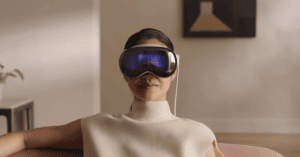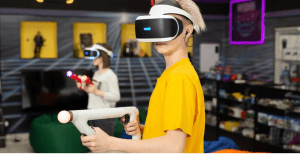

Virtual reality has become more popular than ever before. It has turned into a major trend and even a rapidly growing business.
The technology where people can experience something in a different world has seen a lot of progress since its creation. Nowadays, you can even buy different VR headsets that allow you to immerse yourself in another aspect of reality.
Now, if you are wondering if you can create your own virtual reality avatar, you’ve come to the right place. Creating your own virtual reality avatar might seem like a difficult task but it is actually easy to do.
This article will tell you how to create your own virtual reality character.
We looked at an online virtual reality avatar creator to share with you how to create your own custom avatar for free.
What is Metaverse

Metaverse is the virtual universe of the internet where you can interact with other people.
It is a shared space accessed through virtual reality, augmented reality, or mixed reality technologies. You can use it as a social platform but it is mainly used by people who enjoy role-playing online because of the possibilities that it offers.
You mostly need a virtual reality headset to be able to explore the virtual world of the internet if you want to have that immersive experience.
The term ‘Metaverse’ was actually from the 1992 novel ‘Snow Crash’ written by Neal Stephenson. In the novel, the metaverse was referred to as a parallel world.
Metaverse became widely known when Mark Zuckerberg rebranded Facebook to Meta back in October 2019.
In Mark Zuckerberg’s founder letter, he stated that “the defining quality of the metaverse will be a feeling of presence – like you are right there with another person or in another place” [1].
He wanted the next platform to be more immersive where you can do a lot of things, like get together with family and friends – in a virtual reality world, with you as a virtual avatar.
What is a virtual reality avatar?

If you’ve ever played the Sims, you will be familiar with creating a sim. When creating a sim, you will be able to customize a lot of things – from the hair, eyes, mouth, lips, head shape, hair, and clothes. After you create a sim, you will be able to control them in their environment.
A virtual avatar is the same.
But, think of it as your alter ego, especially in the metaverse.
A virtual reality avatar is what you use to be able to interact virtually on the internet. It is from the first-person point of view. You won’t usually see your avatar, but you will see other avatars and they will be able to see yours.
VR avatars are used a lot, especially in gaming but there are a lot of options and experiences that you can do with a virtual avatar in the metaverse. Aside from having a get-together with family and friends in a virtual world, you can even have business meetings in VR.
The possibilities are endless and there are many VR worlds that you can enter and explore with your virtual avatar.
What is VRChat?

VRChat is one of the many virtual social platforms where you can experience a virtual reality world. It has over 25,000 worlds that are created by the VRChat community and it offers its users endless social VR experiences.
VR is not required so you can still create an avatar and experience different worlds with it. But if you want that VR experience, VRChat can be played on Steam, Quest, Rift, and Viveport.
If you want to create content for VRChat, you need to get the VRChat SDK. SDK stands for Software Development Kit and it is a tool used by developers to build frameworks.
With VRChat SDKs, you can create a VRChat avatar and world content using industry tools.
What is Spatial

Spatial is another virtual social platform where you can explore different worlds and experiences made by other people. Spatial has cross-platform compatibility and you can access it from the web, mobile, or in the Spatial metaverse VR.
Like in VRChat, if you do not have a VR headset, you can still experience different worlds. If you are on your computer, you can access the worlds without creating a Spatial account or without creating your own avatar.
You can join a room as a guest and Spatial will load an avatar for you to use to explore the virtual worlds. It is definitely a nice experience to see different virtual worlds created by other users even if you do not have a VR headset.
To find out more information about different Spatial platform compatibility, you can go to their website.
What is Ready Player Me

Ready Player Me is a platform where you can create VR avatars for free.
You will be able to customize your avatar in many ways.
Ready Player Me calls your avatar the “passport to the metaverse” [2]. This is because the avatars you create on Ready Player Me can be used on other platforms such as VRChat and Spatial.
If you are into NFTs, you buy NFTs for your avatar and trade or sell them on marketplaces.
Create your own virtual reality character
You can create your own full-body virtual avatar on VRChat, Spatial, Ready Player Me, and other platforms.
But, let’s take Ready Player Me as the demo of how you can create your own virtual reality avatar. Creating an avatar in Ready Player Me is easy and does not need any 3D software.
Ready Player Me has over 5000 partners who use their avatars in their apps and games [3].
How to create custom avatars on Ready Player Me

1. Go to the Ready Player Me website and click ‘Enter Hub’
2. Choose a body type. If you don’t have any preference, you can select ‘Don’t Specify’
3. You will be asked to take a selfie or upload a photo. You can also opt to continue without a photo
4. If you continue without a photo, you will be asked to choose an avatar that you will be able to customize later. There are 24 avatars to choose from at this time of writing
5. Customize your avatar
You can create your avatar within minutes. For the best representation of yourself, it is recommended that you take a selfie or upload a photo of yourself.
You will be able to customize your avatar’s face and pick their clothes. You can also choose their skin tone.
How to enter the Metaverse with your custom avatar

You can create a virtual avatar on Ready Player Me without creating an account. But, if you want to reuse the avatar that you made, you have to create a Ready Player Me account.
With a Ready Player Me account, you will be able to import your avatar to VRChat and Spatial. You will also be able to share your avatar on different social media channels. Let your family and friends know that you are ready to enter the virtual reality space.
If you want to enter different virtual reality worlds, you may need to create separate accounts in those worlds in order to have access to them. For example, you will need a separate VRchat account or Spatial account if you want to enter the worlds there.
If you want to stay true to Meta, you would want to create your avatar using Meta Quest.
For this, you need a Meta Quest headset. Then, on the navigation menu, click ‘Edit Avatar’. To customize your avatar, select ‘Appearance’ and select ‘Save Avatar & Exit’ once you are done.
Frequently Asked Questions (FAQ)
Is VRChat free to play?
Yes, VRChat is free to play. It is also a multiplayer online social game so you can have a virtual experience together with family and friends.
VRChat Plus does have a subscription option where you can get custom user icons, 100 favorite avatar slots, and more. You can subscribe for $9.99 per month or $99.99 per year.
VRChat Plus is available only on Steam and Oculus Quest Store at the moment. But they said they are working on adding support for other platforms.
To find out more go to their website.
Can you make your custom VRChat avatar?
Yes, you can make your own custom VRChat avatar. Ready Player Me has partnered with VRChat so you will be able to create your VRChat avatars easily.
You can start creating your avatar here. After creating your avatar, just click import to VRChat and you are ready to play. But you need a Ready Player Me account to be able to import your avatar.
If you want to create your avatar in VRChat, the process might be a little more complex than you’d like. You would have to have a bit of 3D modeling skills but if you follow their guidelines, you will be able to create your own avatar.
To create a new avatar on VRChat, you need to have a Unity project and SDK set up.
VRChat has documentation on how to create your first custom VRchat avatar.
Conclusion
You don’t need to spend a lot of money to create your own character. It is easily done within minutes and you don’t even need any special software to do it.
If you want that immersive VR experience where you can socialize with people around the world, creating a virtual avatar is the way to go.
We hope this article helped you with making your own virtual reality character for your virtual reality experience.