As Virtual Reality technology becomes more popular, more and more people are asking the question: is VR bad for your eyes?
There is no reliable evidence to suggest that wearing a VR headset is inherently worse for your eyes than using another form of a digital screen. That said, there are some known risks associated with the extended use of VR or other digital screens that are important for VR users to be aware of.
On the other hand, there is early science that shows certain VR technology can actually help to improve eyesight and reduce vision problems.
In this article, we will explore the effects of VR on eyesight, and potential risks, and provide tips for how to prevent damage to your eyes while using VR.
We will also answer some of the most Frequently Asked Questions about VR and eyesight. So, if you are concerned about the potential risks of using VR, keep reading.

What is VR and how does it work
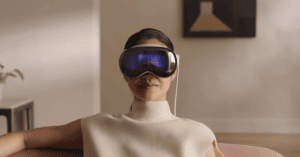
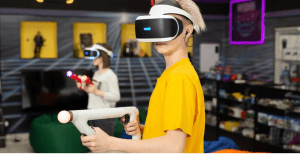
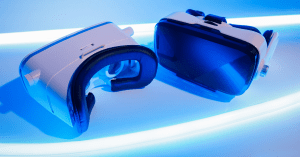
VR (or virtual reality) is a computer-generated simulation of an environment or situation. It allows you to experience something that is a virtual environment that can feel very lifelike. VR is typically created by using a headset, which is a type of head-mounted display (HMD). The headset contains two small screens, one for each eye. These screens show different images, which gives the illusion of depth and 3D vision.
The effects of VR on your eyesight
There is somewhat limited scientific research on this topic, as no long term studies have been done yet. We do know that VR does have the potential to cause visual fatigue and digital eye strain. However, it’s important to note that the phenomenon of eye strain (also called asthenopia) is not unique to VR. It can affect people during any visually intense task including things like focusing on a computer display, tablet, or even a book, especially for an extended period. This is because your eyes have to constantly adjust and focus, which can be tiring.
Additionally, some people tend to blink less when using VR headsets, which can cause dry eyes. Dry eye symptoms are usually very temporary and can be managed by using artificial tears or taking breaks from VR.
Finally, if you wear glasses or contact lenses, VR headsets can cause them to become uncomfortable or even painful.
Important note about VR use for children
It’s worth noting that virtual reality headsets are typically not recommended for young children under the age of 13 or so. For one thing, VR headsets are typically sized for adults and the adjustable settings may not allow for proper fit for a child which, in addition to discomfort can increase the risk of eye strain with users of VR systems.
In addition to the potential for visual fatigue, younger children are in an important period when their eyes are still developing. While it’s not clear that VR usage would necessarily result in permanent deterioration, it’s a risk that is not worth taking with children until there are more long term studies available.
If you do choose to let your child (hopefully at least 13 years old0 use a VR headset, it’s important to closely monitor their usage and make sure they take breaks every 20 minutes or so. Children can get especially immersed in games in the virtual world and they often need help to know when to take a break. During breaks it’s important to watch out for any signs that VR usage is impacting your child’s vision or hand eye coordination.
How to prevent damage to your eyes while using VR
There are a few things you can do to help prevent discomfort and damage to your eyes while using VR.
1. Wear the headset for shorter periods of time
When using VR, it’s important to take breaks often. If you start to feel any discomfort, take the headset off and give your eyes a rest. Doctors often recommend taking a break for 5 minutes or so each hour to allow your eyes to rest and adjust. Meta’s Oculus health and safety guide is even more conservative, recommending 10-15 minute breaks after every half hour of use. The most common advice from doctors and VR headset manufacturers is to limit time spent without breaks.
2. Make sure your headset fits properly
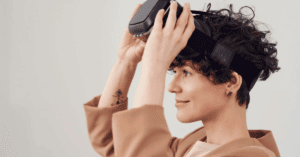
A poorly fitting headset can cause a lot of discomfort and even headaches. If you wear glasses, make sure to try out the VR headset together while your glasses are on to ensure a comfortable fit. You should avoid too much pressure on your face as this can cause headaches over time.
3. Adjust the headset settings
Most VR headsets allow you to adjust the distance between the lenses, as well as the focus. It’s important to experiment with these settings to find what’s comfortable for you. IPR is also an important setting to consider. IPR, or Interpupillary Ratio, is the distance between your pupils. If the IPR is not set correctly, it can contribute to eye strain.
4. Use eye drops
If you start to experience dry eyes while using VR, try using artificial tears or eye drops. This will help keep your eyes lubricated and prevent any further discomfort.
5. Consider special corrective lenses made to match your VR headset
It may not seem that likely, but from time to time people do fall when using VR. Either because they didn’t clear a safe area for their VR experience or because they just get disoriented at some point while using the VR system. It’s worth noting that if you are wearing regular eyeglasses underneath a VR headset, there is a higher risk of injury if you fall and hit your face resulting in damage to your glasses.
Thankfully, custom corrective glasses are now available – these are lenses that match that the design of your headset to ensure a more comfortable and seamless fit and reduce risk of breakage in case of an accident.
6. Visit your eye doctor regularly
Regular comprehensive eye examinations are a good idea for anyone, but especially for frequent users of VR given how new the technology is. It’s worth checking in with your doctor regularly, especially if you feel that you may be experiencing any negative effects related to your VR screen time.
When to stop using your VR headset
While not too common, you should definitely stop using your VR headset for a while if you experience any of these symptoms:
- Eye strain
- Eye twitching / Muscle twitching
- Altered vision
- Blurred vision
- Double vision,
- Other visual abnormalities
- Pain in the eyes or headaches
- Symptoms similar to motion sickness
If you do experience these symptoms make sure to take a break for at least a few hours. You should see your doctor if your symptoms are concerning or if they don’t go away on their own within a few hours.
Visually induced motion sickness
Aside from eyesight, another known risk related to vision is known as simulation sickness, or visually induced motion sickness. This is a type of discomfort and even nausea that can be brought on by VR and other types of simulations, such as video games. It occurs when what you see in the simulation doesn’t match up with what your body is feeling.
For example, if you’re moving your head around while looking at a virtual world that isn’t moving, you may start to feel nauseous. This effect can also be made worse when there is a lag between the time you move your head, and the time you see a reaction in the virtual environment.
There are a few things you can do to help prevent simulation sickness:
- Make sure the VR content you’re consuming is high quality and well-made – avoid anything that looks blurry or low resolution as this can make symptoms worse
- Start with shorter VR sessions and gradually increase the amount of time you spend in VR
- Pay attention to how you’re feeling and take breaks if you start to feel any discomfort. If you do start to feel sick, remove the headset immediately
Simulation sickness isn’t dangerous and usually goes away on its own within a few minutes or hours. However, if you experience severe symptoms, such as vomiting, or the symptoms don’t go away quickly on their own it’s best to see a doctor.
Can VR help with eye problems?
One really interesting emerging use of VR is a specialized treatment to actually improve vision. For example, a company called Vivid Vision is using VR to improve the vision of people with amblyopia, or “lazy eye”. The treatment consists of wearing a headset for about an hour each day, during which time you play special VR games that help to stimulate and train the vision in your lazy eye.
Early studies have shown a lot of promise, with some people seeing significant improvements in their vision. There are also treatments available for convergence insufficiency, and lack of stereo depth perception.
Other companies are entering the space and technology is constantly advancing. It seems very likely that VR technology will yield new and innovative ways to improve eye health for people with challenging conditions.
Conclusion: Can VR hurt your vision in the long term?
There’s no definitive answer just yet, as VR is new enough that the long-term effects of VR on eyesight are not yet sufficiently studied. Likewise, there is no clear evidence to suggest that daily VR use can cause permanent damage to a user’s eyes.
The short-term risks seem to be relatively low, as long as you take some basic precautions to manage eye fatigue. To avoid eye strain, take frequent breaks and avoid continuous use for long periods of virtual reality work or entertainment. Check-in regularly with your eye care professional, especially if you feel you are experiencing discomfort or deterioration in visual acuity.
References:
You may wish to reference the below links from the British Association of Optometrists and the American Academy of Ophthalmology.