
PlayStation VR made it possible for gamers who do not have access to a gaming PC to be able to experience VR gaming. If you are a first-person shooter (FPS) gamer solely playing on PlayStation VR and are looking for the best PS4 VR gun, you came to the right place.
The best PS4 VR gun is the PlayStation VR Aim Gun. This PlayStation VR controller offers a highly immersive virtual reality experience for PlayStation 4 (and 5) users. It has high-accuracy shooting and can really enhance your FPS VR gaming on a PlayStation.
This article will explain the different specifications and features of the PSVR Aim controller. Additionally, we looked at a lot of user reviews to understand all the pros and cons of this VR gun. Plus, there’s another PS VR accessory that you might be interested in if you don’t only play FPS games.
PlayStation VR Aim Controller
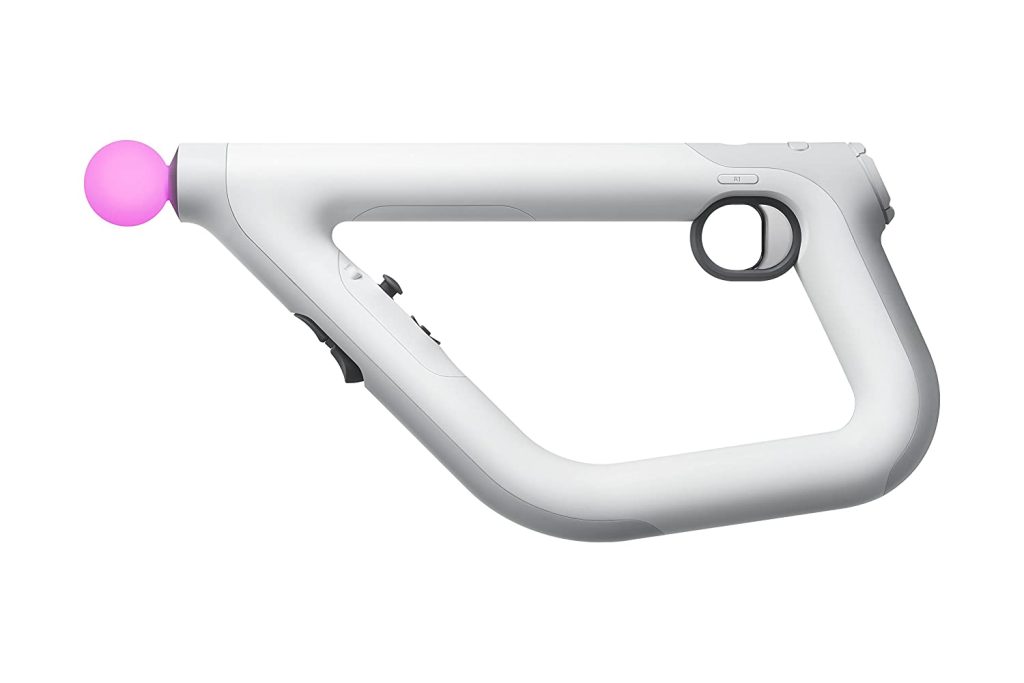
The PlayStation VR Aim Controller came out 5 years ago on May 17, 2017. It came out along with the game Farpoint, which is a game designed for PlayStation VR Aim Controller use.
You can buy the controller and the game separately from one another. But, if you want the full PS VR Aim Controller experience, you would want to try using it with Farpoint.
If you are looking for the best PS4 VR gun, you must already have the PlayStation VR. If not, let us be the ones to tell you that you need to have the PSVR Headset AND the PlayStation Camera to use the PS VR Aim Controller.
If you don’t, you won’t get the controller to work.
The PS VR Aim controller is the only gun controller that works with PlayStation VR, which makes it the best by default. This controller can complement your FPS gaming, making it more immersive and realistic.
You might take a while to get used to holding the VR aim gun as it is very different from the usual DualShock controllers that the PlayStation System has. But, once you get used to it, you might not want to put it down.
Sony designed the PlayStation VR Aim Gun for you to feel like you are holding something that serves its purpose, especially in an FPS game. It kinda does not make sense to hold sticks when playing shooter games, does it? And then, when you wear your PS VR goggles, you wouldn’t really see the controller itself, but the way you hold it will make First Person Shooters more realistic.
Appearance
If you look at the PS VR aim gun, you probably would not think of it as a rifle, pistol, or something that resembles a gun. At first glance, you would think it resembles more of a pipe glued together more than anything.
But, Sony designed it that way to make it feel that you are using whatever gun it is you are using in an FPS game. It can feel like a shotgun or a machine gun. Sony did not design it with a certain gun in mind.
The look of the PlayStation VR Aim Controller has a, you can say, minimalistic feel. It has that sleek and futuristic look. Not at all what you would expect from a real-world gun.
Some users like the minimalistic look of the PS VR Aim Gun but some do not appreciate the sleek and futuristic look. To remedy that, some users buy PS VR Aim Controller “skins” to totally change the controller’s look. It’s like putting a nice phone case on your phone.
But don’t be fooled by its appearance. Even if it does not resemble a real-world gun, it really does its job of enhancing an FPS VR game.
PlayStation VR Aim Controller Features
Let’s take a look at the features that make this VR gun a good accessory for your PS VR first-person shooter games.
Advanced Motion Sensing
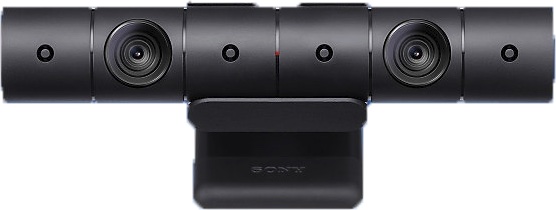
We mentioned earlier that you need to have the PlayStation Camera if you want to use the PS VR aim gun. Well, that is because the PlayStation Camera is what tracks the VR aim gun and translates it to VR.
If other VR headsets like HTC Vive and Valve index need base stations to track your movement, PS VR uses the PlayStation Camera for tracking.
When setting up the PlayStation VR for PS VR, you need to place the camera on a level surface. It should face where you will be sitting or standing when you play. When using PS VR Aim Gun, it is best if you play while standing so you would need to put the PlayStation Camera on a higher surface.
You can also change the camera’s angle to make sure that it is able to capture your play area and the VR aim gun.
Light Tracking Technology
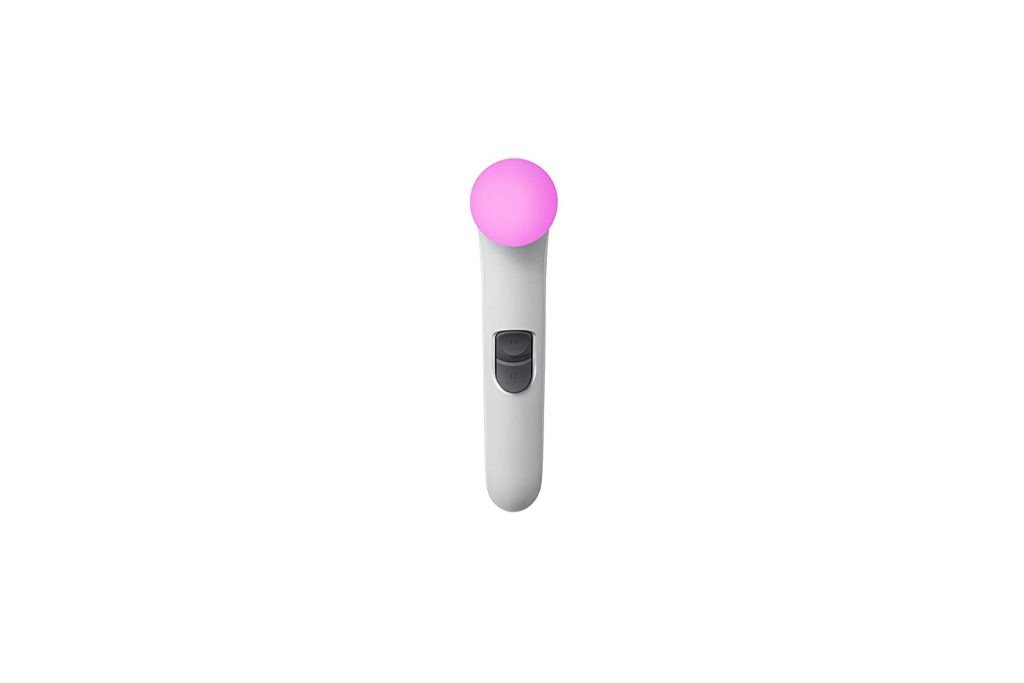
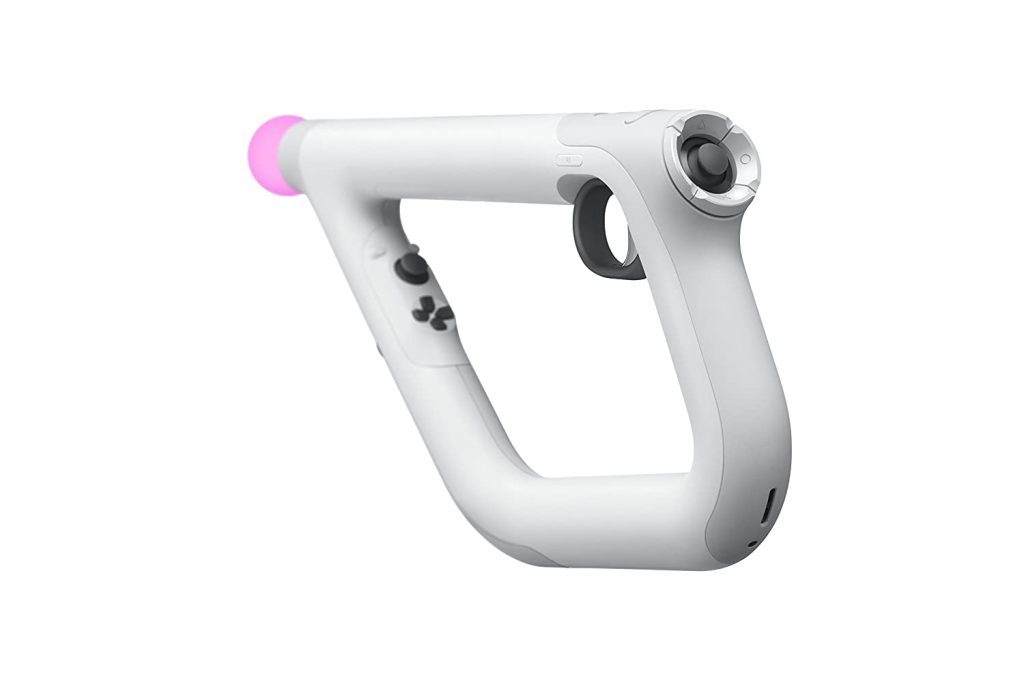
With the PlayStation Camera’s advanced motion-sensing system, it can track the light sphere of the PS VR aim gun. The light sphere is the little glowing orb in front of the PS VR Aim Controller.
When playing PS VR with the PS VR aim gun, the light sphere should always be in direct sight of the PlayStation Camera. The range is wide enough, but if you turn around the PS VR aim gun might not work as intended as the camera is there to track the sphere.
Accuracy
With the PlayStation Camera and the VR aim gun’s light sphere working together, you can expect accurate and fast shooting when you play.
The weight of the PS aim controller is just enough that you won’t get tired immediately when holding this VR gun. It is light enough that you can move as intended without the weight of the gun slowing you down. But, it is also not too light that it breaks the illusion of your VR gaming experience.
Ergonomic Two-Handed Design
If you notice, the VR aim gun is not sold in pairs, as is with most VR gun stocks for other VR headsets.
You actually don’t need to buy another one as this is designed for both left and right-handed players. The symmetry in the design allows for ambidextrous handling of the PS VR Aim Controller.
The buttons that you will see on the PS aim controller are the same buttons that are in the DualShock 4 controllers – even the analog sticks!
The PS VR AIm Controller is a standalone controller so you won’t need to switch to your DualShock controller to be able to do other things like, navigate to the menu system, or exit your game.
Users said that the buttons are strategically placed for ease of use and that the buttons are also very easy to press.
The R1 button can be found at the back part on both sides of the aim gun and the trigger acts as the R2 button while the L1 and L2 buttons are found in front. The action buttons are placed at the back along with the right stick / R3 button while the arrow buttons are in front with the left stick / L3 button.
Vibration Feedback
One of the features that make VR gaming more realistic is haptic feedback.
The PS VR Aim Controller has great vibration feedback that makes your FPS VR gaming experience more realistic. Whenever you shoot your enemies, you will feel a vibration every time. So if you are shooting using a machine gun, there will be continuous vibration until you stop.
With the PS aim gun, you will feel the vibration feedback on both hands making your game more immersive. If you like VR controllers that give you haptic feedback when you play, the PS VR Aim Controller is a good buy.
Charging Your PS VR Aim Controller
Before you can use the PS aim controller, you obviously need to charge it first.
You can charge your aim controller by connecting it to your PS4 using a micro USB cable. You can either charge the device while your PlayStation 4 is switched on or is in rest mode.
To charge the controller while your PS4 is in rest mode, you need to:
1. Go to Settings
2. Select Power Save Settings
3. Select Set Features Available in Rest Mode
4. Select Supply Power to USB Ports
The light sphere will slowly flash orange while it is charging and once it stops, it means it is fully charged.
Just note that there is no micro USB included with the PS VR Aim Controller. You will have to use the micro USB cable of your DualShock 4 wireless controller to charge your aim gun.
How To Connect Your PS4 Aim Controller to Your PlayStation 4
You need to pair the PS VR aim controller to a PlayStation 4 the first time you use it since the PS aim controller is a Bluetooth device.
When pairing the controller to the PS4 system, you need to connect the controller using the micro USB cable. The controller will pair with the PS4 and you can remove the USB cable once you are done pairing them.
PS VR Aim Controller Problems
Some users report that the controller lasts them more than 5 hours of playtime. But, some users report that tracking issues start to happen at the 3rd or 4th-hour mark because the battery starts to die.
Another issue that some users have with the PS aim controller is that the light sphere must be within the PlayStation’s line of sight the whole time. Since the camera tracks the aim gun’s light sphere, you need to make sure you stay within the camera’s vision. If you want to turn around, kneel, or take cover as your enemy is trying to shoot you, you have to use the analog stick to perform those actions.
PS VR Aim Controller Compatible Games
When the PS VR Aim Controller first came out, there were only a few games it is compatible with. Now, there are VR titles that are added to the list.
Most users bought the PS VR Aim Controller for game titles like Farpoint, Doom VFR, and Firewall: Zero Hour. But here are some of the best PSVR games that are compatible with the PS VR Aim Gun:
– After The Fall
– Arizona Sunshine
– Borderlands 2 VR
– Dick Wilde
– Dicke Wilde 2
– ROM: Extraction
– Sniper Elite VR
There are other fantastic games that are compatible with the aim controller and according to Sony, PS VR Aim Controller-compatible games are coming soon.
PlayStation Move Motion Controllers
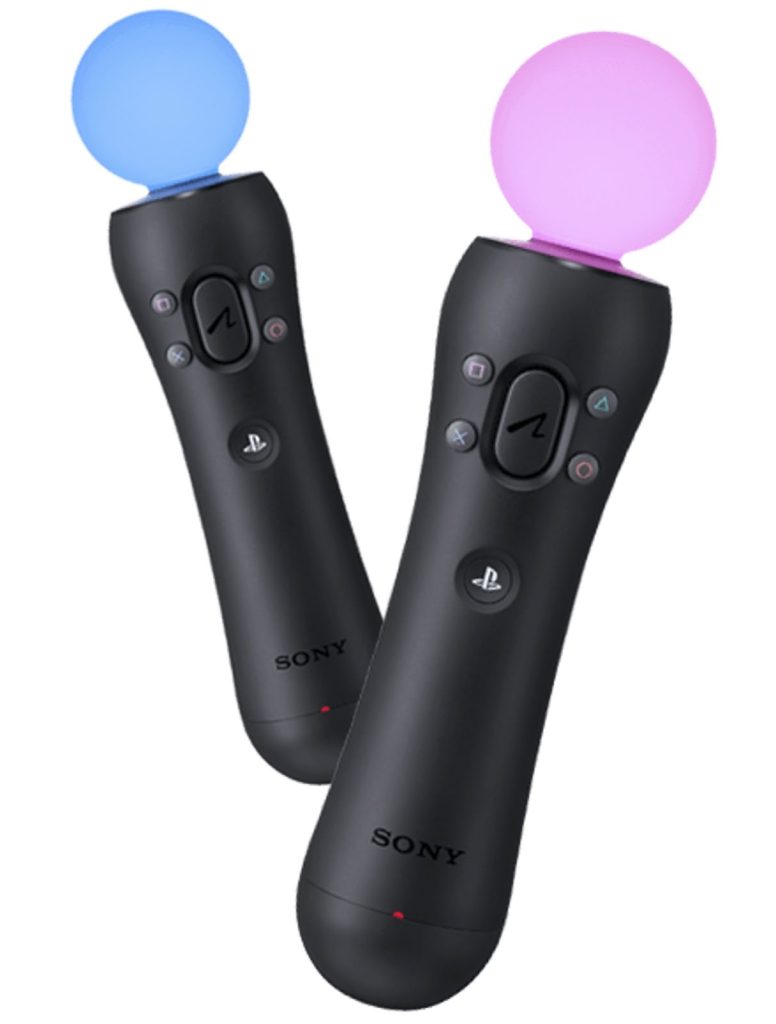
Another VR accessory that you can use with the PlayStation 4 is the PlayStation Move Motion Controllers.
While it is not designed like the PS VR Aim Controller, you can still use it in PS VR games. These controllers work best on a rhythm game like Beat Saber. PlayStation 3 had a Move Sharp Shooter that looks like a real-world gun but unfortunately, it does not work on the PS4 and PS VR.
You can also use the move motion controllers on PlayStation VR Worlds where you can play online with friends around the world.
If you would still like to play PS VR games, you can use the Playstation Move Motion Controllers or you can even use the DualShock controllers. If plan on getting the move controllers, you still need the PlayStation Camera for it to work. If you are using the move controllers on PlayStation 3, you need to have the PlayStation Eye Camera.
The PlayStation Eye Camera does not work on the PS4.
Wrap-up
As we said at the beginning of this article, the PS VR Aim Controller is the only VR gun controller compatible with the PlayStation 4. We like that it enhances the FPS VR game with its look and feel, its accuracy in shooting, and just the way Sony has a VR accessory for PlayStation users.
With that being said, it is not only Sony PlayStation that has a VR gaming system where you can use a VR gun accessory. If you have access to a gaming PC and VR headset, there are a lot of VR gun stocks that are compatible with the different headset controllers that you can buy to enhance your gaming experience.
Meta Quest and HTC Vive headsets are some of the products that come to mind if you want to have an immersive FPS VR experience.
Let us know in the comments if you have any questions or if you want to know more about the different VR Headsets and accessories for your game!